

Mirror
by Fulmine Software
Elegant handy mirror with frames and effects!
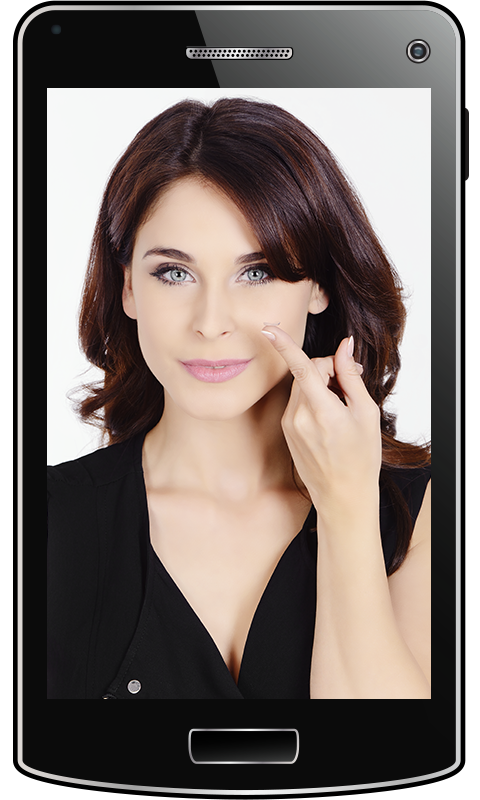
Mirror
However, if your device doesnt have a front camera, you can use this software to take pictures with effects and frames using the rear camera.MAIN ADVANTAGES OF OUR MIRROR APP:• Has beautiful frames and funny overlay effects.• Number of frames and effects can be extended by installing additional plugins.• You can take funny selfies and pictures!• Its easy to use.• Works in darkness - light function included.• Has the ability to freeze the on-screen image, change zoom and brightness.WHY ITS BETTER TO USE MIRROR THAN THE STANDARD CAMERA APP:• This app will not go into sleep mode nor will it close during use.• Screen shines in full brightness and additional brightness correction can be easily applied.• You can easily control zoom level even on devices where this feature is not supported by the standard camera app!• You see yourself better in the dark using the light function.• You can quickly freeze the image without needing to take a photo and browse gallery.
This function allows for a precise check of your exterior or even check your back!Find us online:https://www.facebook.com/fulmine.mirrorBugfixes:- Fixed sharing pictures on some devices.Changes:- Changed settings screen appearance.
About Mirror
- Package name (App ID)
- com.fulminesoftware.mirror2
- Available on
- Google Play
- Price
- Free
- Version
- v2.3.6
- Updated
- June 12, 2020
- Developer
- Fulmine Software
Looking for the Mirror APK?
The safest way to get Mirror (com.fulminesoftware.mirror2) on your Android device is to install it directly from Google Play — you'll always get the latest official version, automatic updates, and no risk of modified or infected APK files from third-party sites.

Social Features
Connect and share with friends and the community.
Camera Features
Advanced camera features with editing capabilities.
Food & Dining
Discover recipes and order food from your favorite restaurants.
See Mirror in Action


What Our Users Say
Don't just take our word for it. Here's what our users have to say about this Android app.
"Fine. Rating is a PiA"
"Nice app"
"More than better glass mirror 😜☺️☺️💗☺️💗 very very very good 👌😄🤠🙂👍😊."
"useful app."
"A beautiful app I use it"
"mirrors don't need to collect data :)"
"Great"
"good. Like it."
"Awesome"
"Mirror helps me look at myself when there's no mirror around..."
Frequently Asked Questions
Is Mirror free?
Yes, Mirror is free to download and install on Android through Google Play.
How do I install Mirror on Android?
Open Google Play on your Android phone or tablet, search for Mirror by Fulmine Software or tap the Google Play button on this page, then tap Install. The app downloads and installs automatically.
What is com.fulminesoftware.mirror2?
com.fulminesoftware.mirror2 is the App ID (package name) of Mirror on Google Play. Every Android app has a unique package name, and it is the safest way to verify you are installing the official app.
Is Mirror safe to download?
Installing Mirror from Google Play is the safest option: you get the official version published by Fulmine Software, verified by Google Play Protect, with automatic updates. Avoid APK files from unofficial third-party sites.
Get Mirror Today
Mirror for Android — free download on Google Play.
Compatible with Android phones and tablets — available on Google Play.
Ask AI about this app
Get instant answers about features, tips and more from popular AI assistants.